Step 1: Login into the AWS environment using provided credentials.
Step 2: Go to EC2 section and create using name - datacenter-ec2, AMI - Linux or ubuntu, instance type - t2.micro.
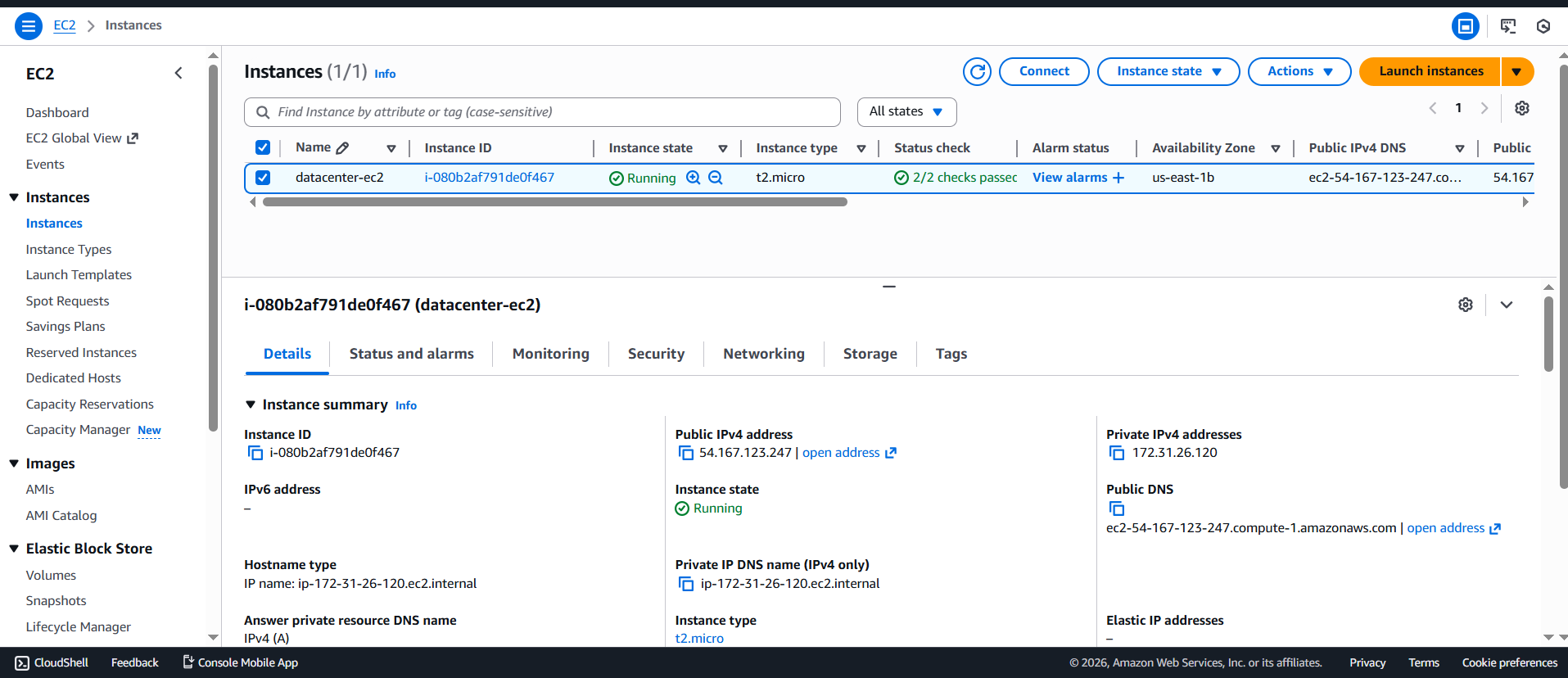
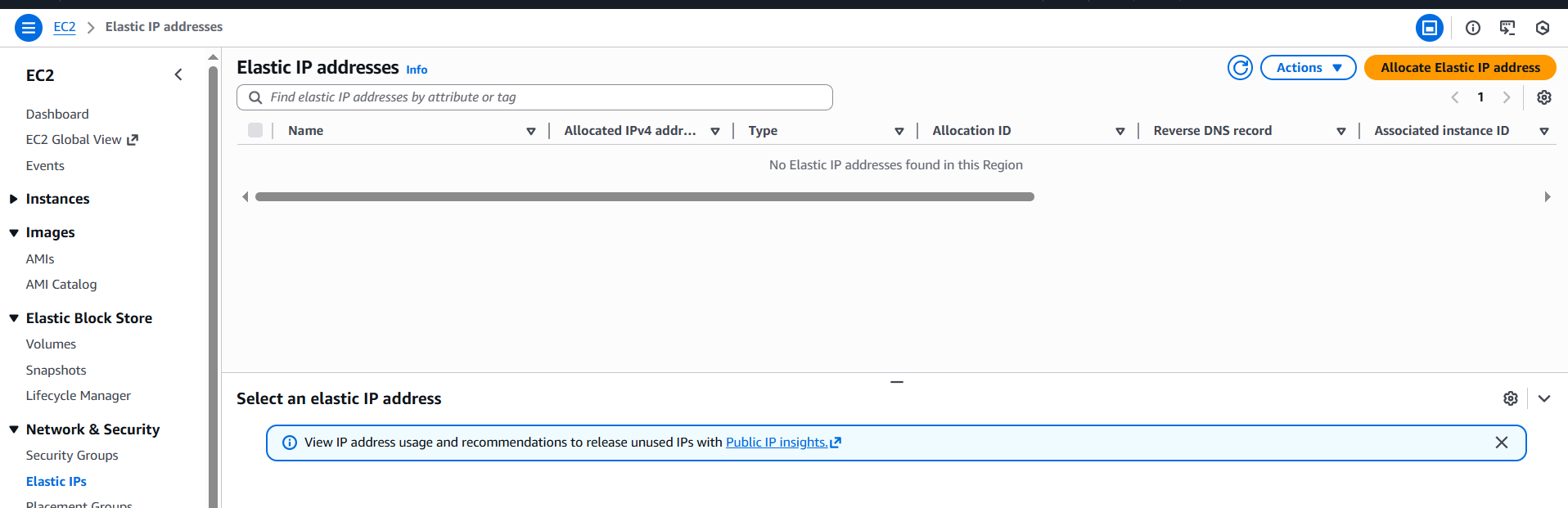
Step 3: Go to elastic IP section and click Allocate Elastic IP address.
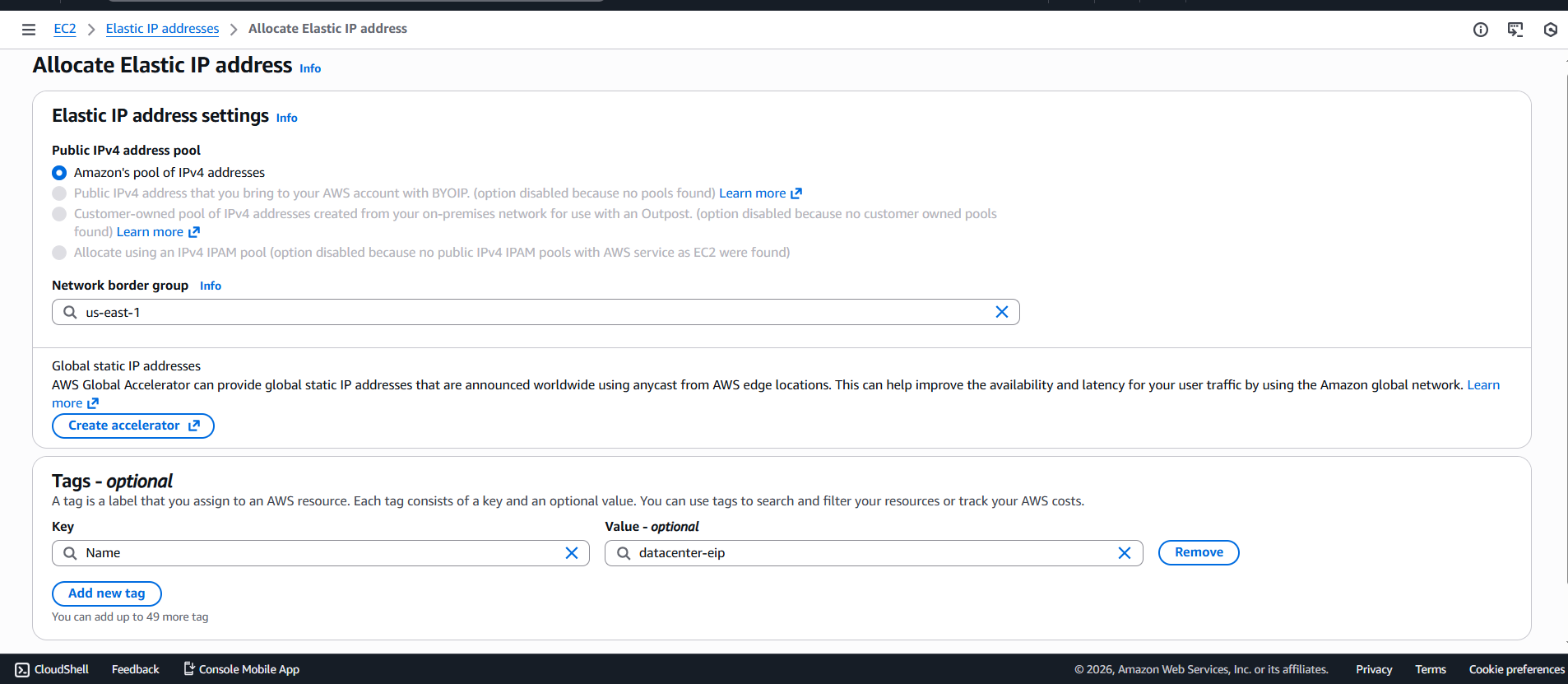
Step 4: Name the Elastic IP and create.
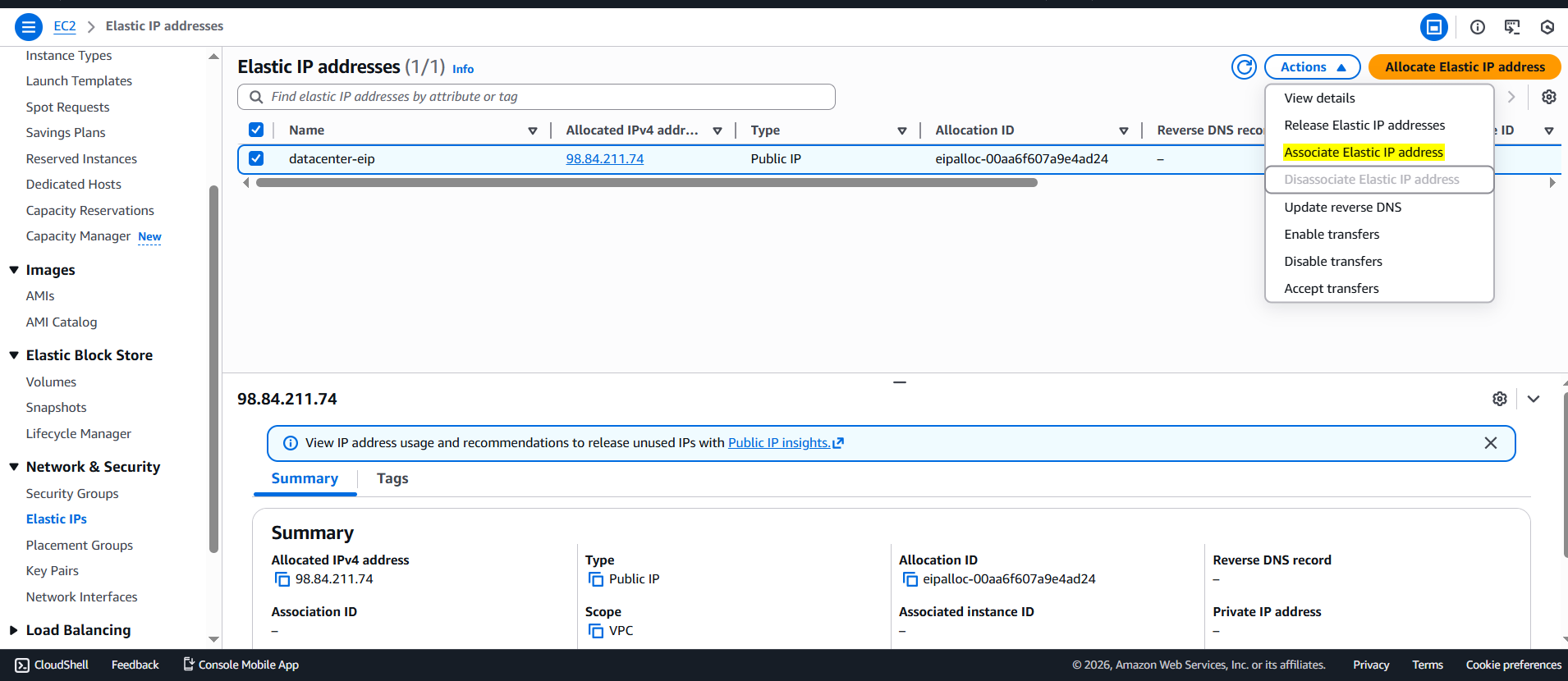
Step 5: Verify Elastic IP creation.
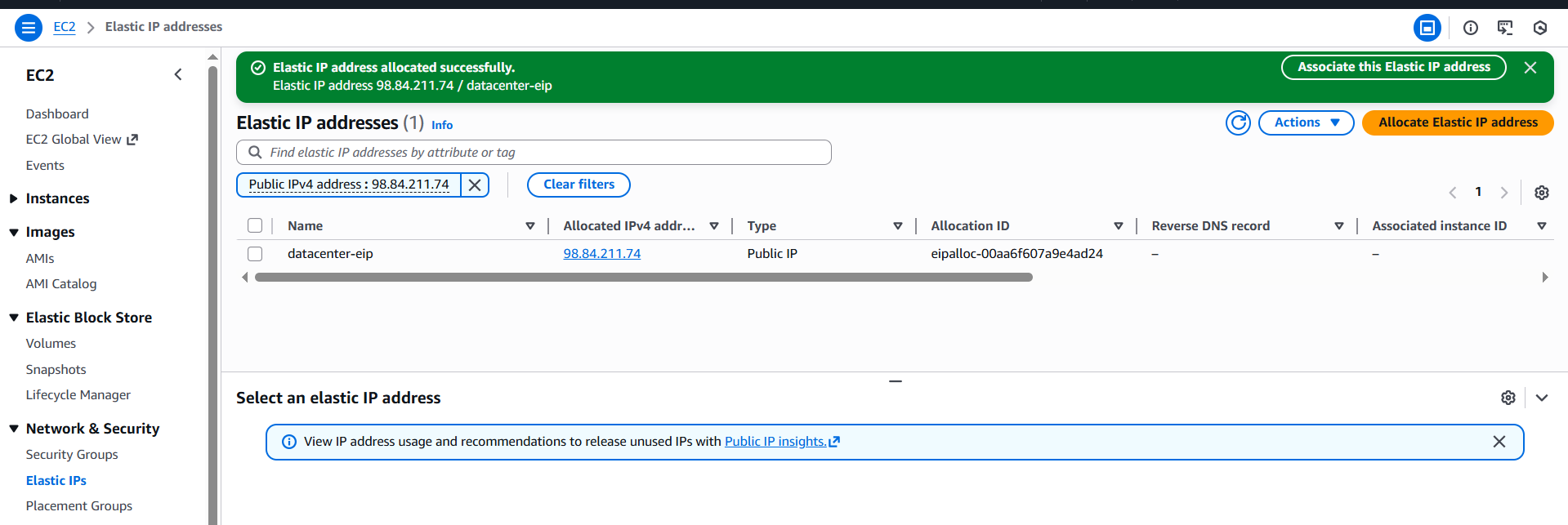
Step 6: Associate IP to ec2 instance.
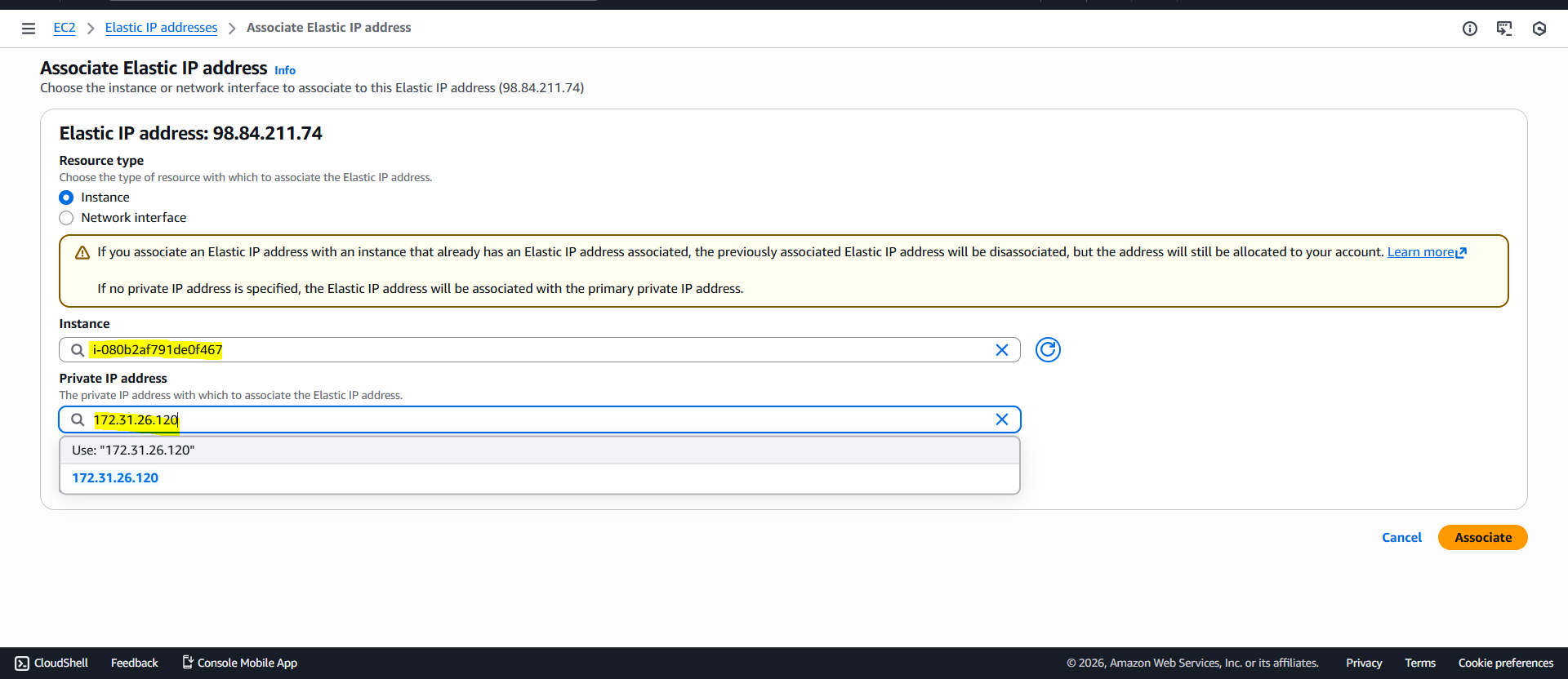
Step 7: Select instance id and the IP
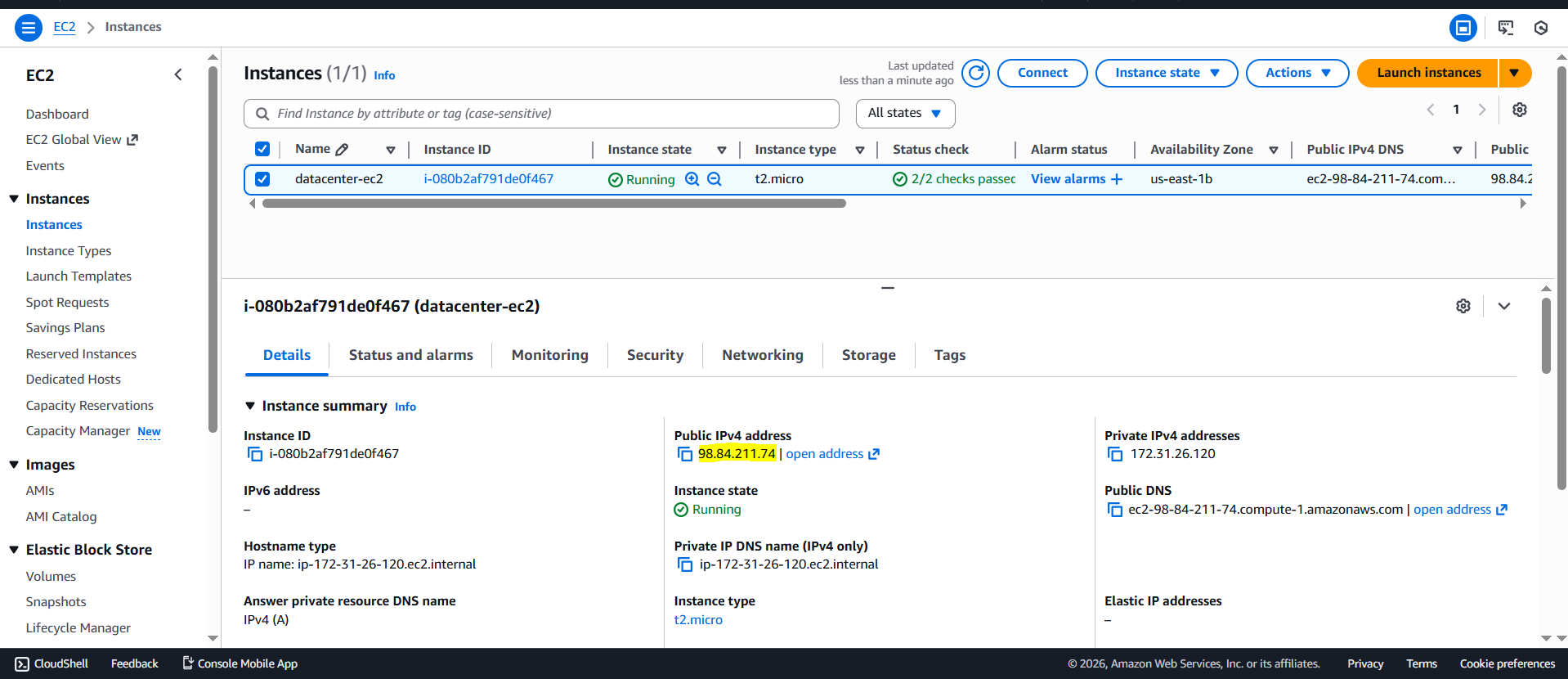
Step 8: Verify the IP has change to Elastic IP
Comments
Join the discussionNo comments yet. Be the first to comment.