Step 1: Login into the AWS environment using provided credentials.
Step 2: Go to EC2 ,VPC and Private subnet as they are already created.
EC2

VPC

Step 3: Create public subnet.
- Select the VPC.

- Add name to the subnet and CIDR.
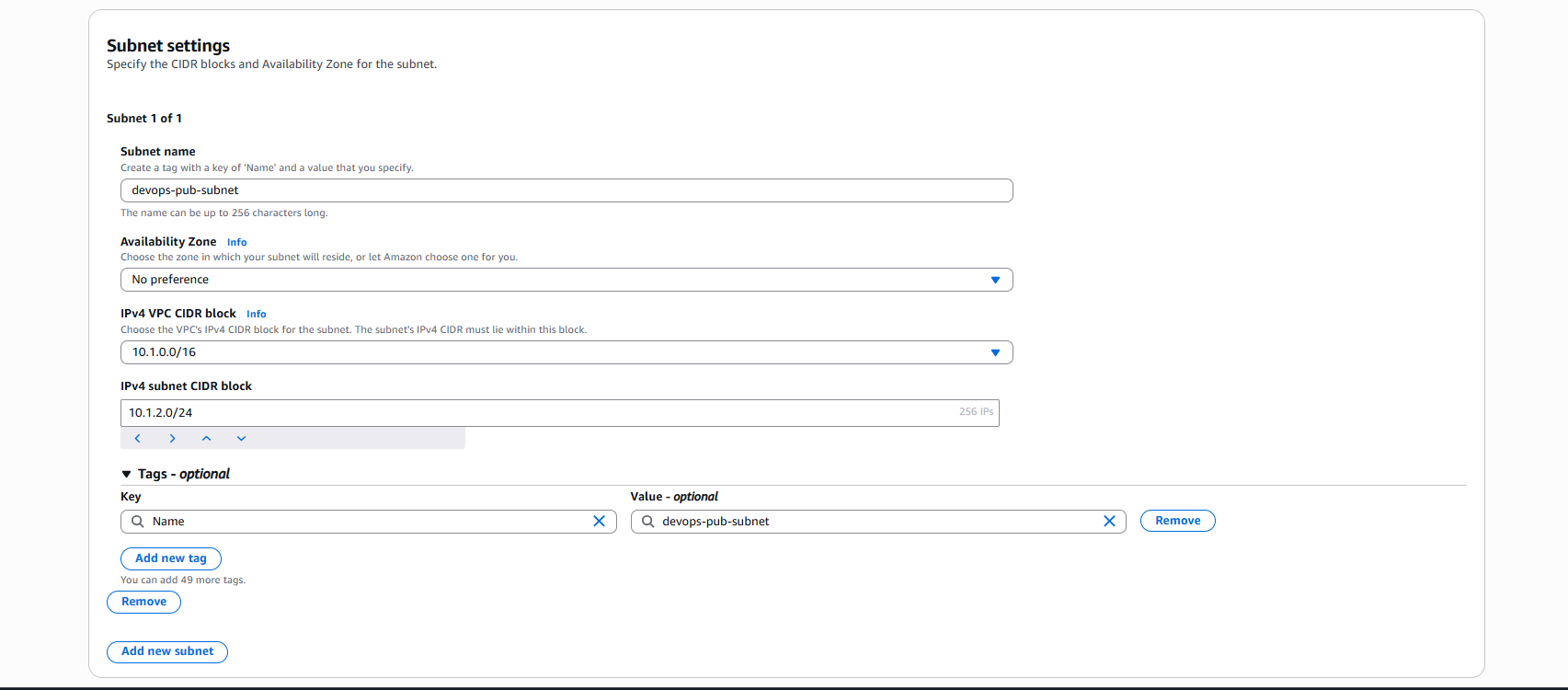
- Verify subnet creation.

Step 4: Create route table.
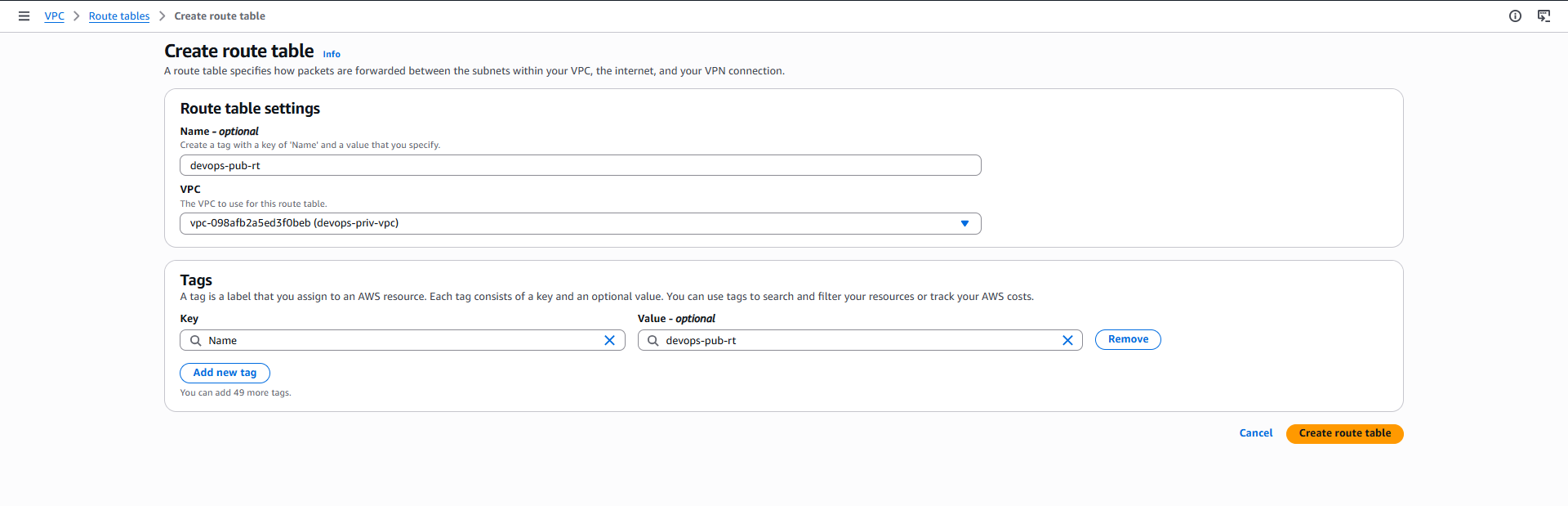
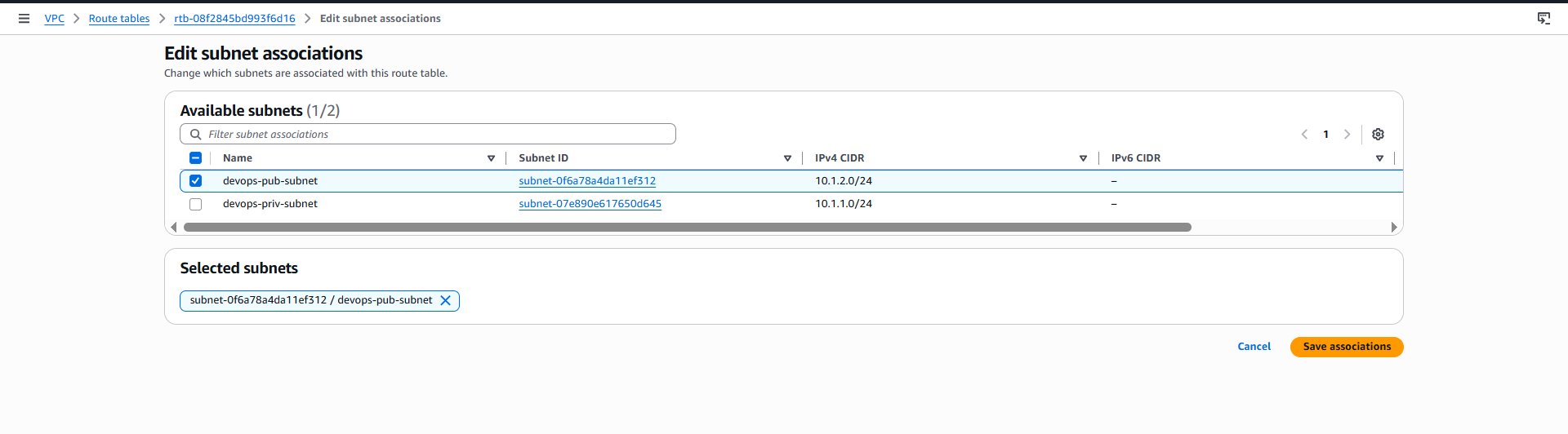
Step 5: Edit subnet association and save.
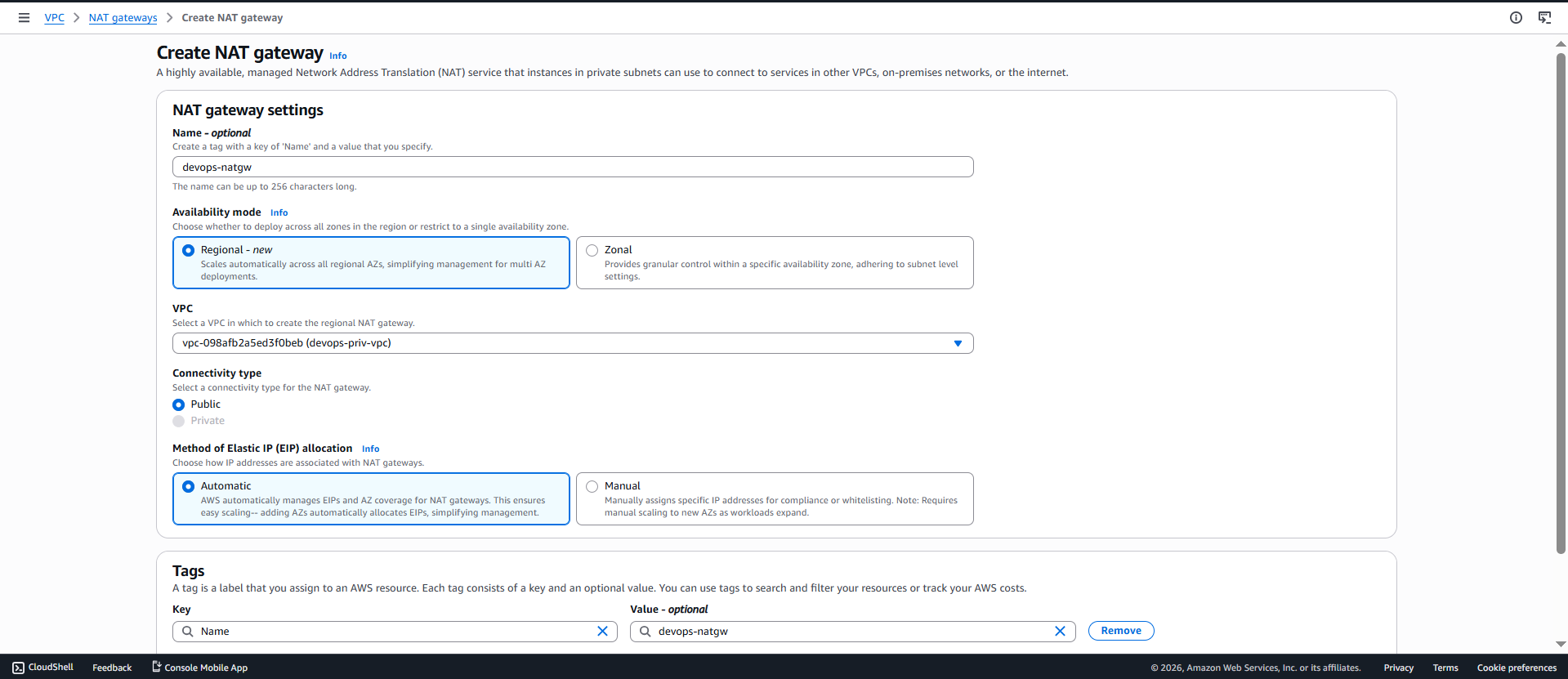
Step 6: Create NAT Gateway.
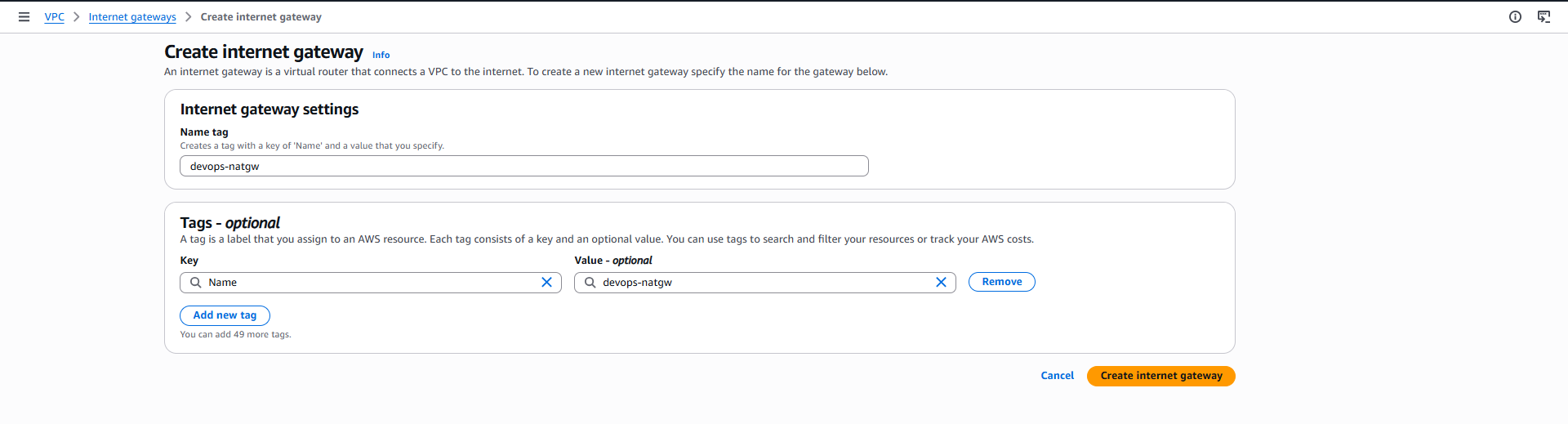
- Attach IG to VPC

- Select the VPC

Step 7: Edit Route tables, add internet gateway and save .
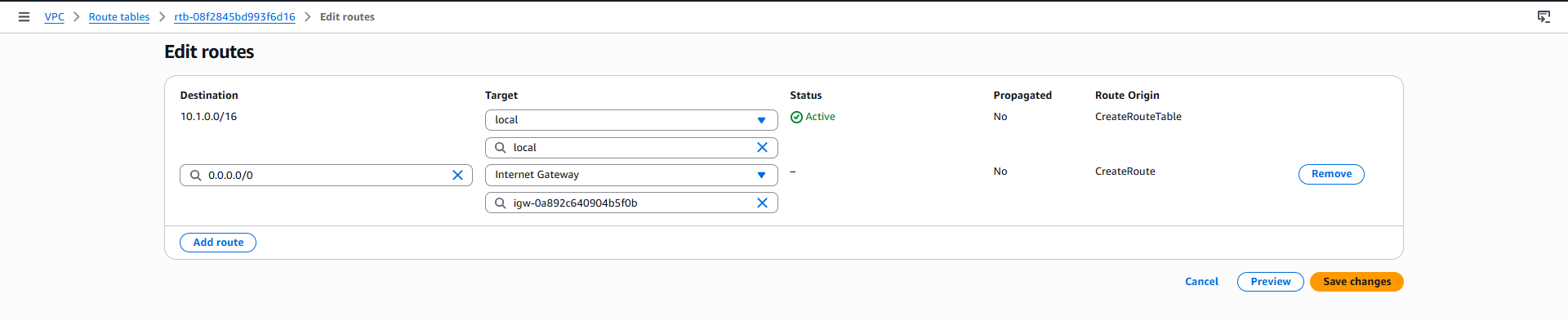
Step 8: Allocate Elastic IP.
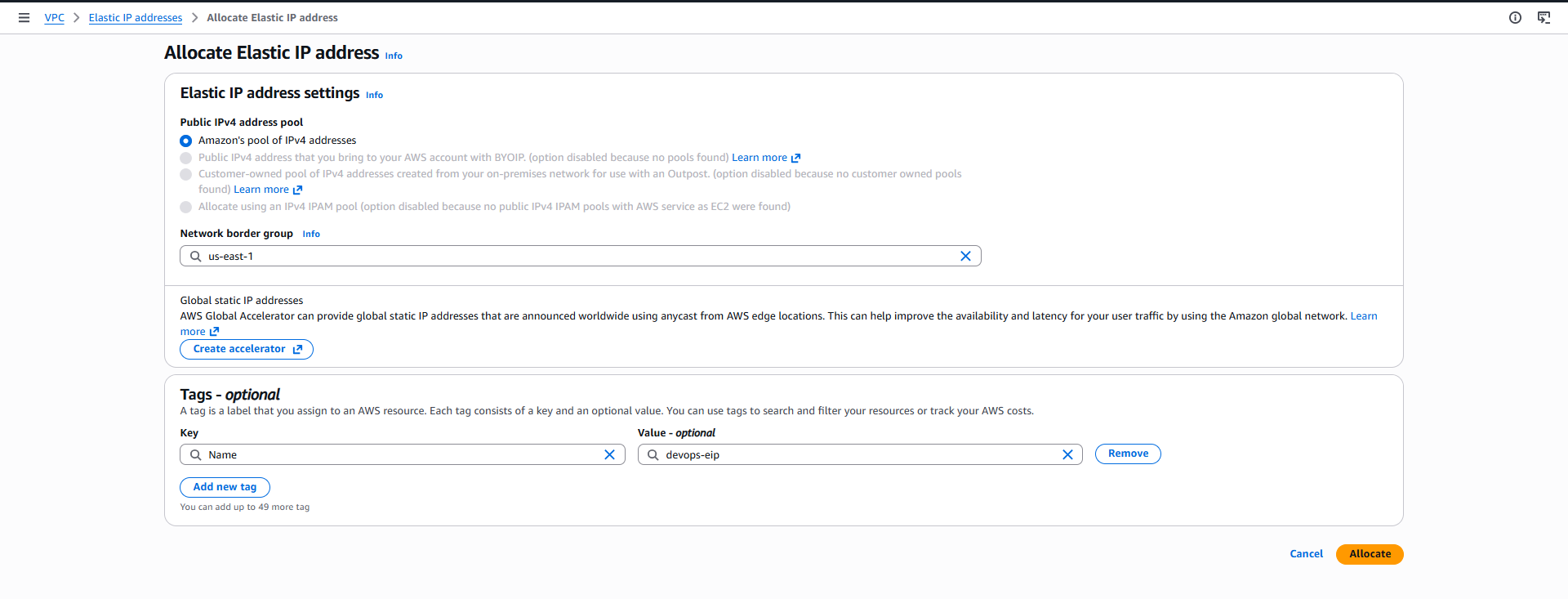
Step 9: Create NAT Gateway and save .
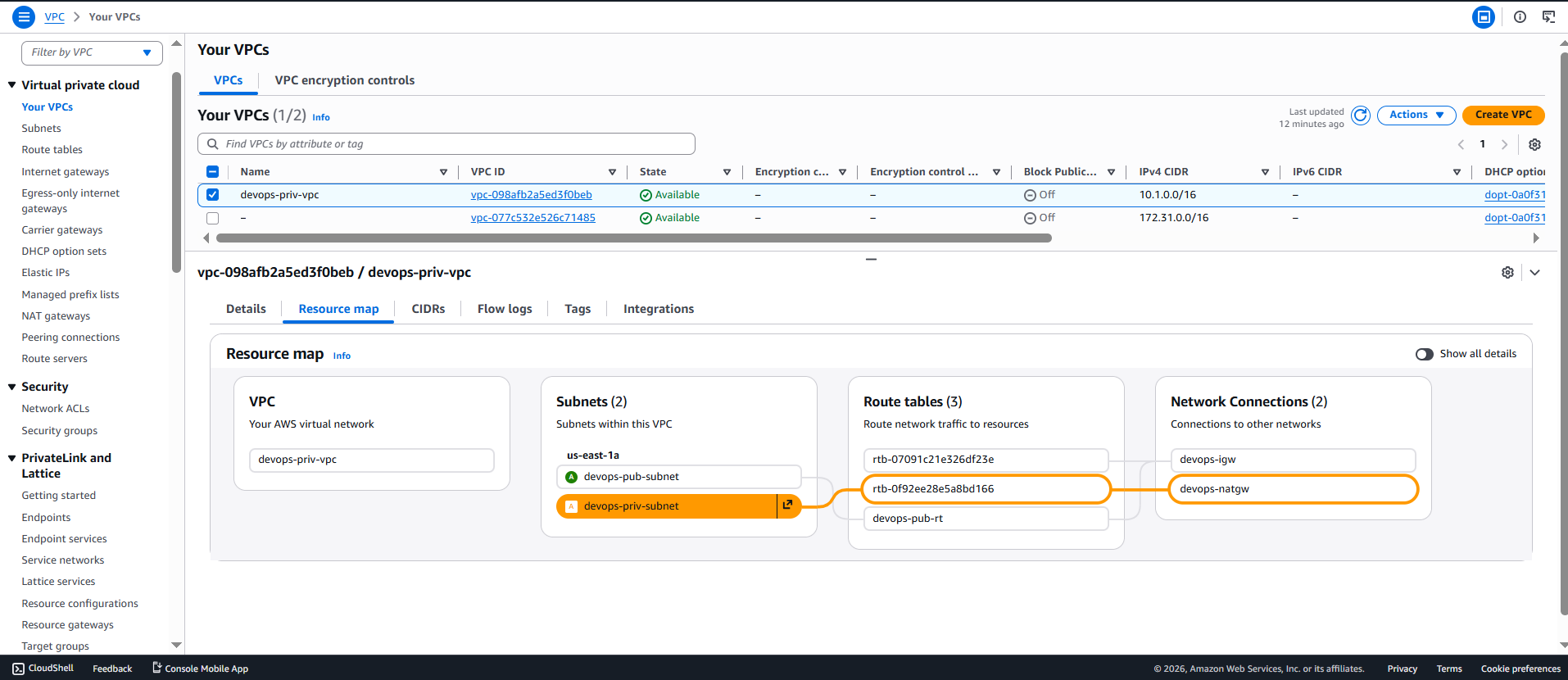
Step 10: Associate the private subnet to route tabels.
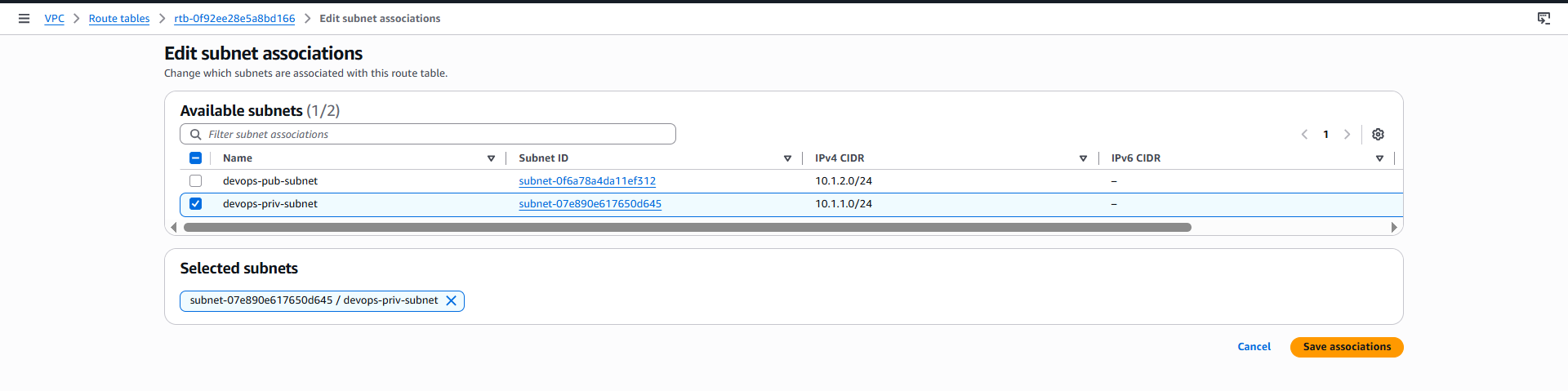
- Edit route tables
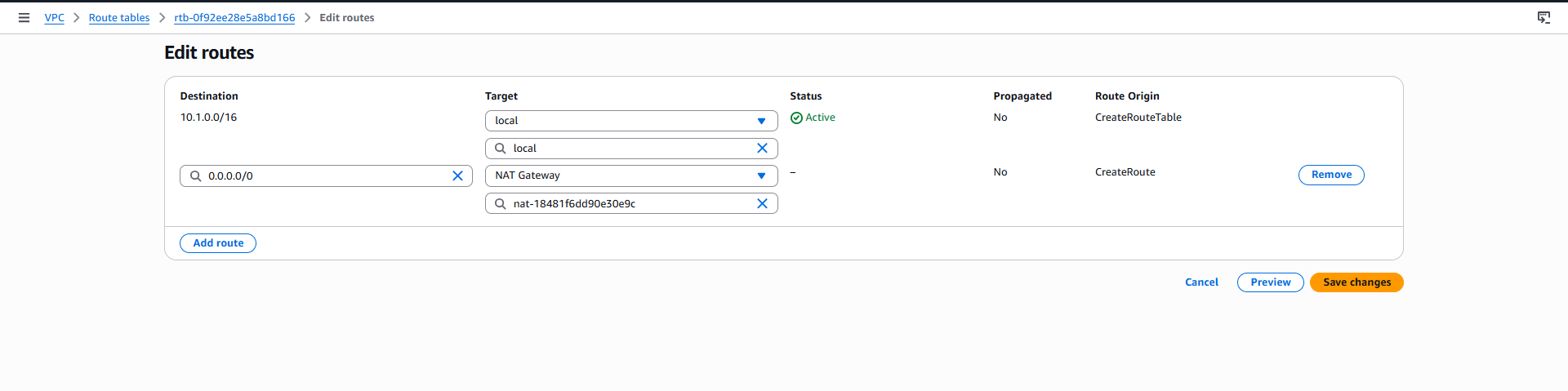
Step 11: Check public flow.
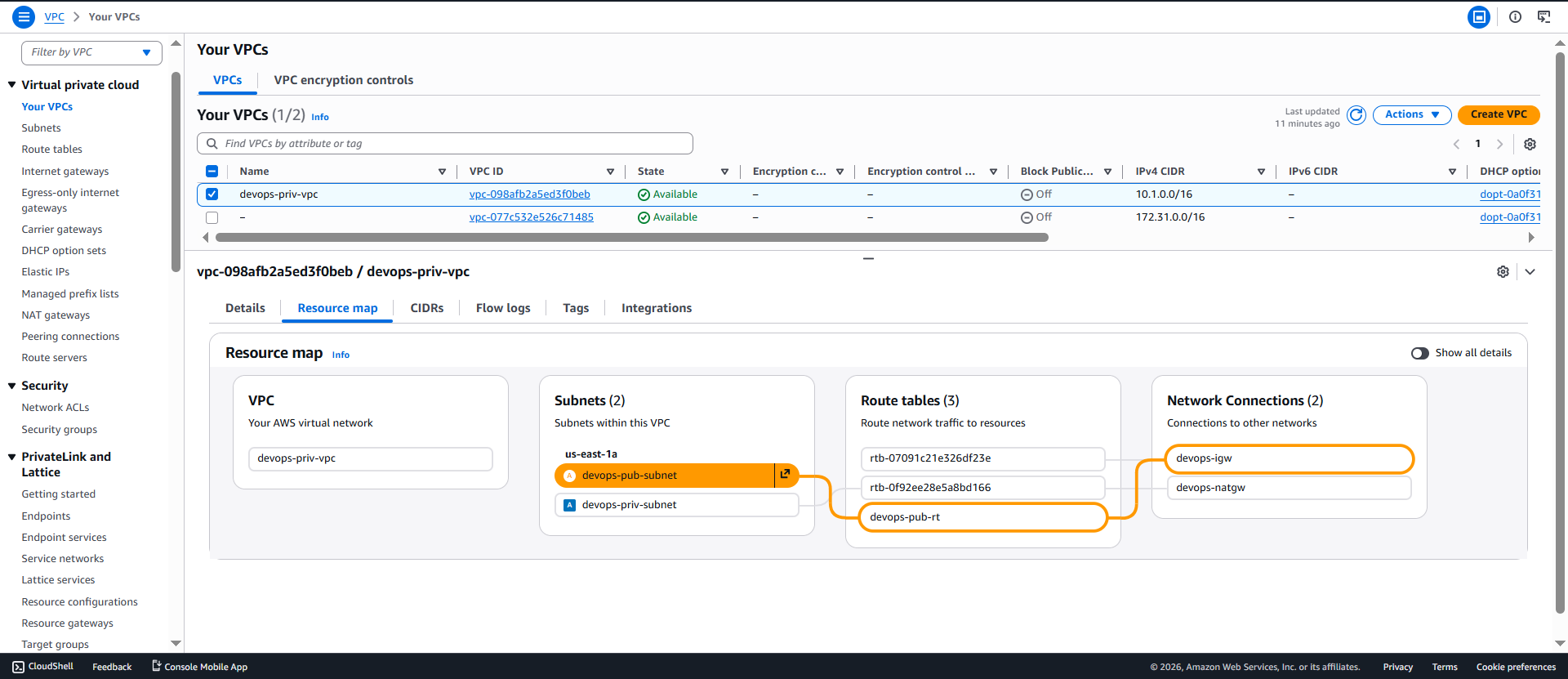
- Check private flow.
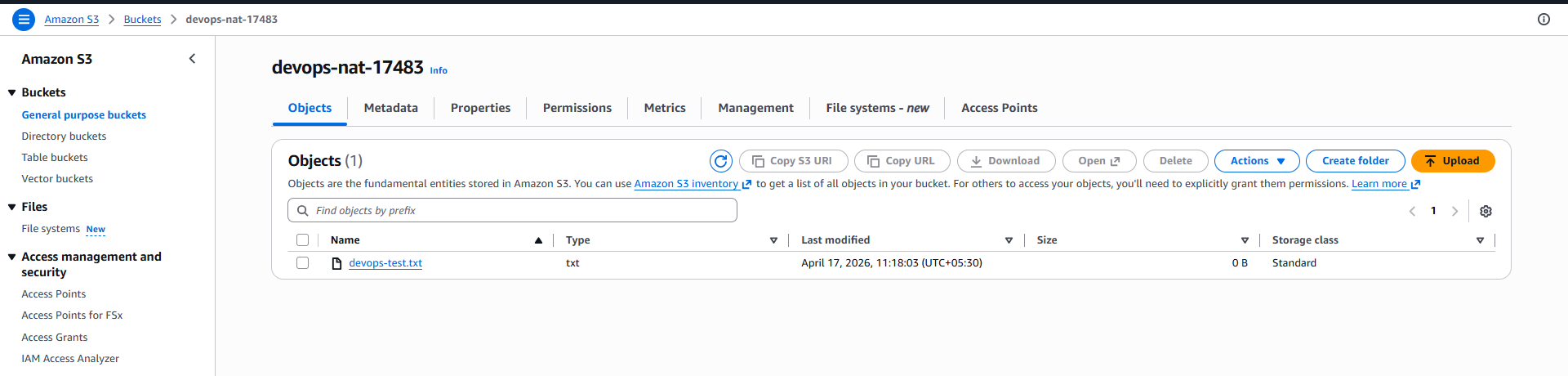
Step 12: Go to S3, select bucket and check for the txt file.
Comments
Join the discussionNo comments yet. Be the first to comment.