Step 1: Login into the AWS environment using provided credentials.
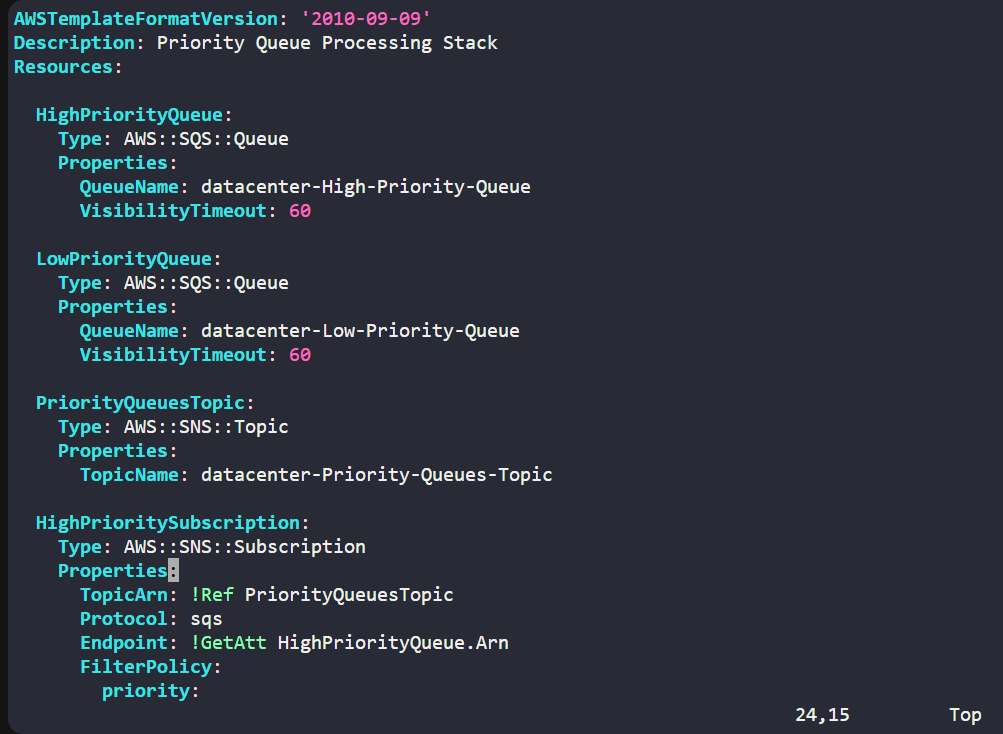
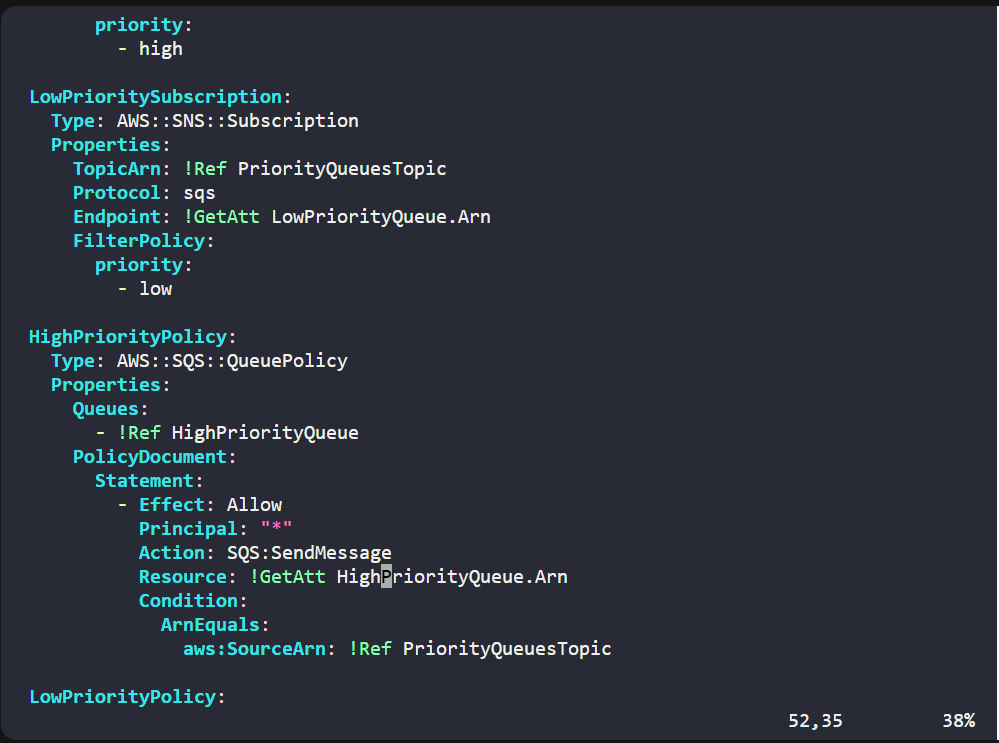
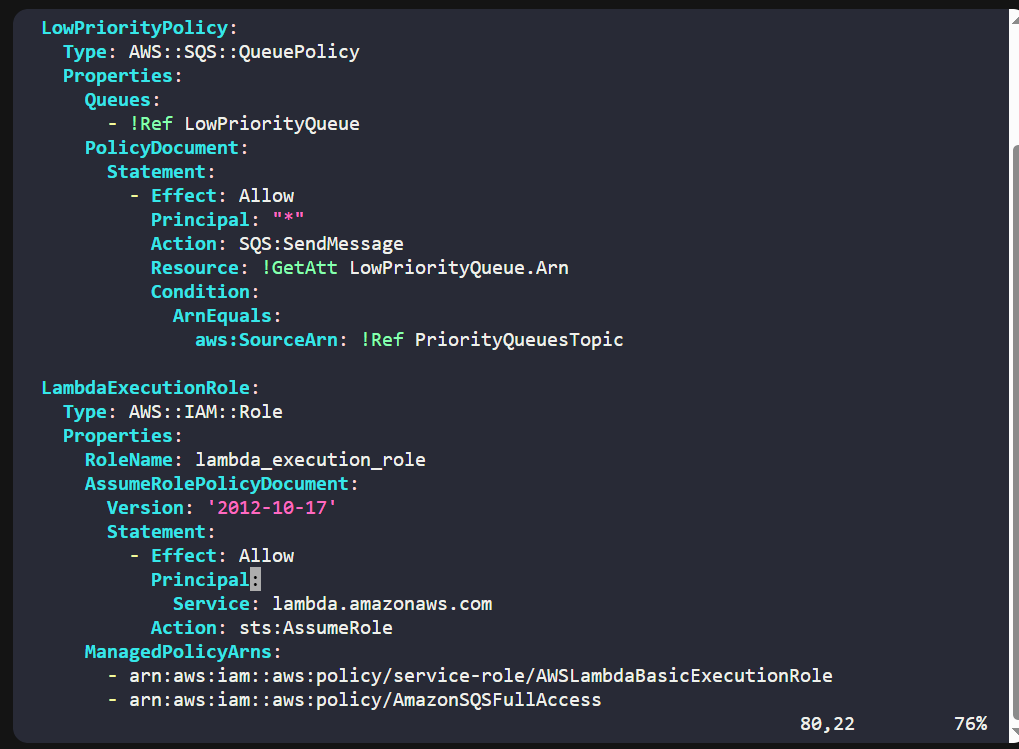
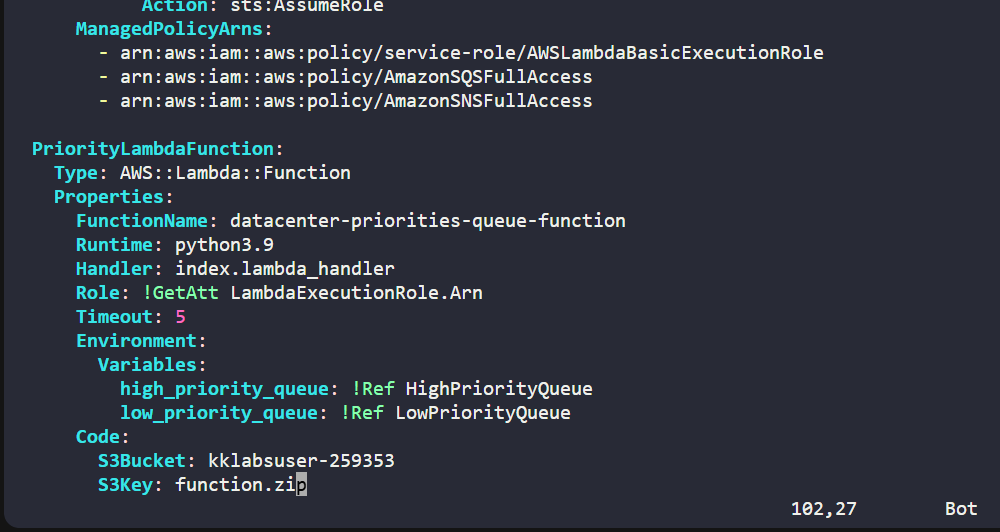
Step 2: Create a file named datacenter-priority-stack.yml and copy following code to it.
Step 3: Create S3 Bucket using CLI

Step 4: Package code

Step 5: Copy zip to s3 bucket using CLI

Step 6: check the uploaded zip

Step 7: Deploy the stack using CLI
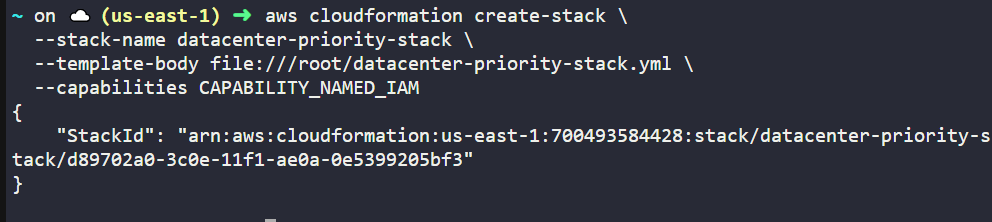
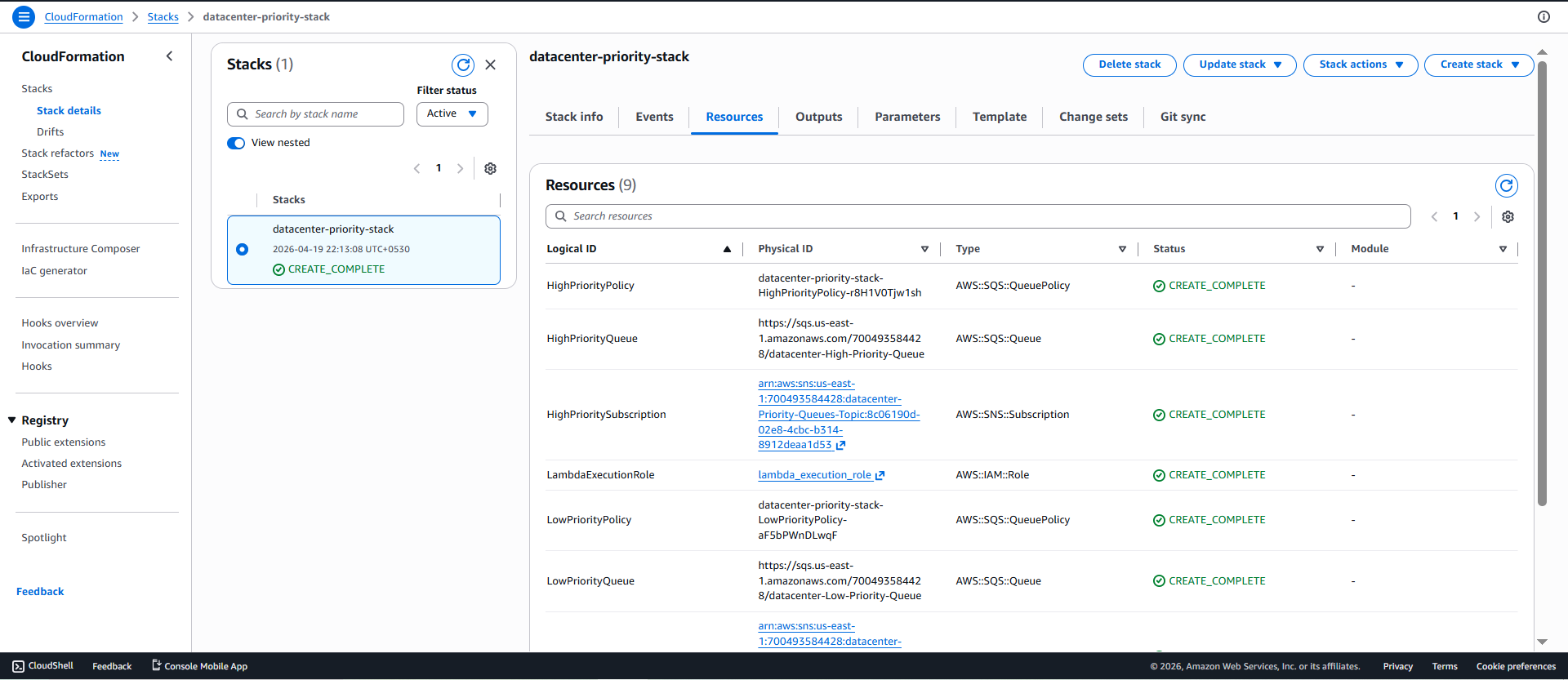
Step 8: Verify the created stack
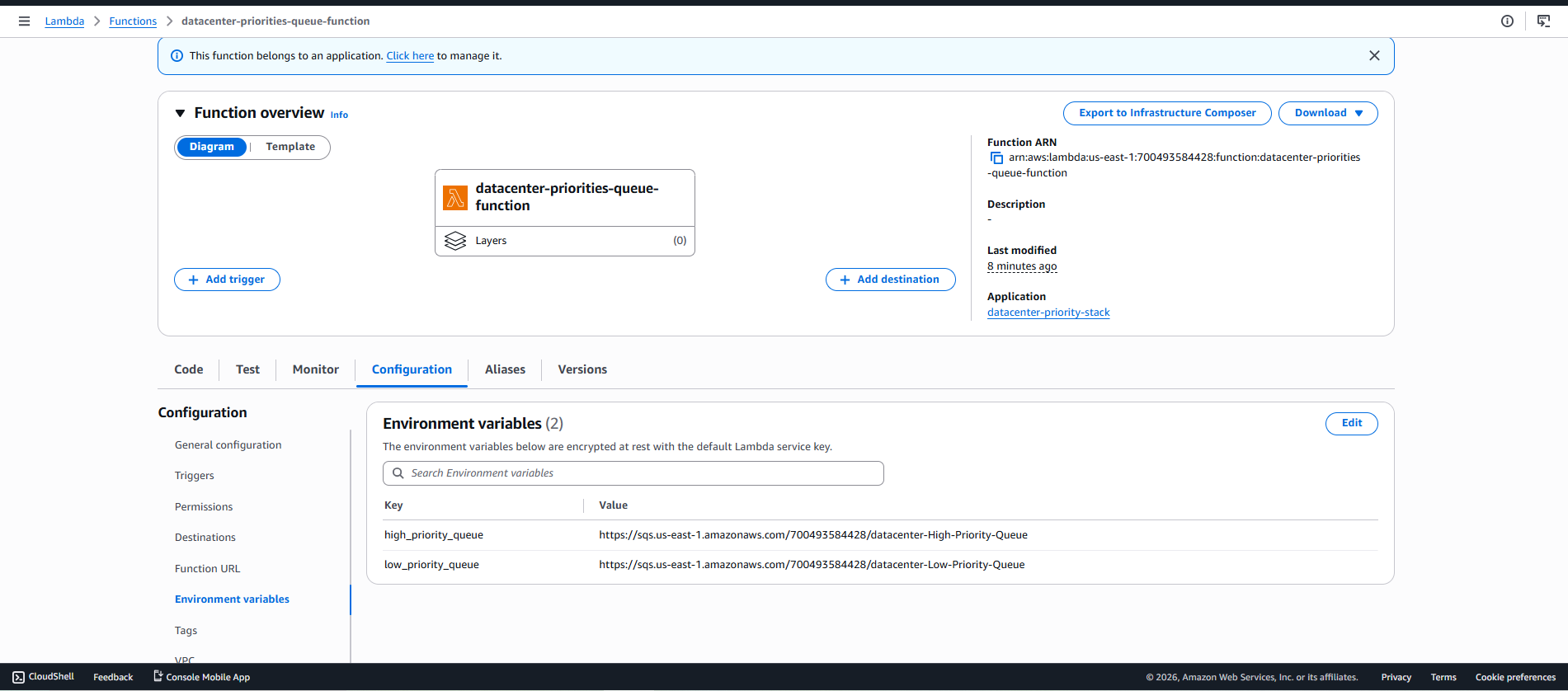
Step 9: Check created function
Step 10: Check SQS which will be having 0 messages.
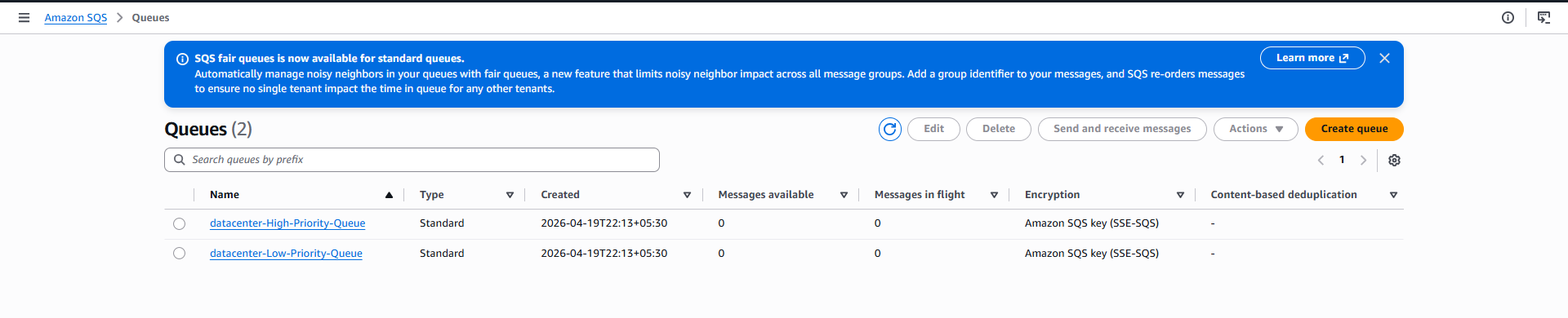
Step 11: Ping these messages
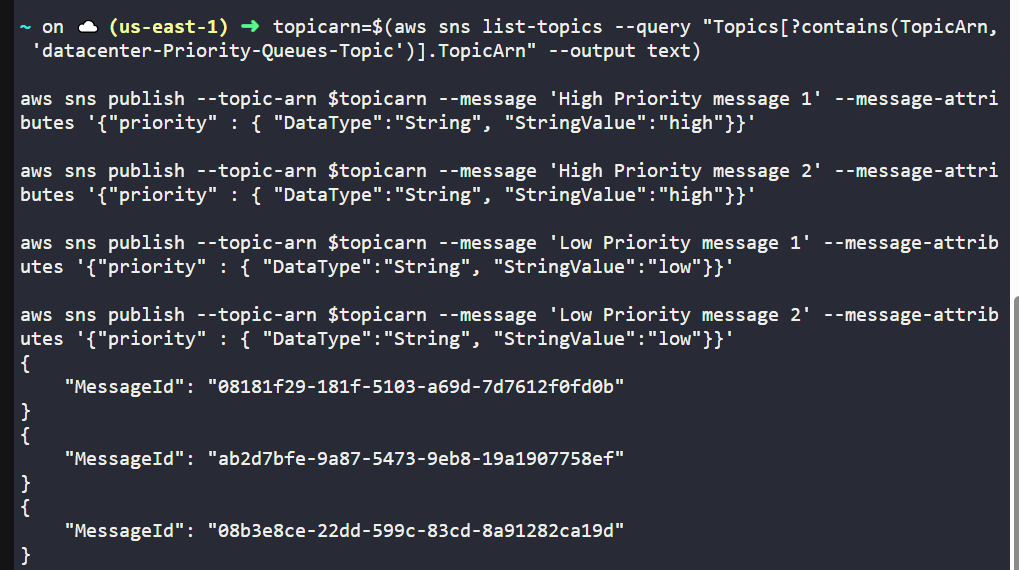
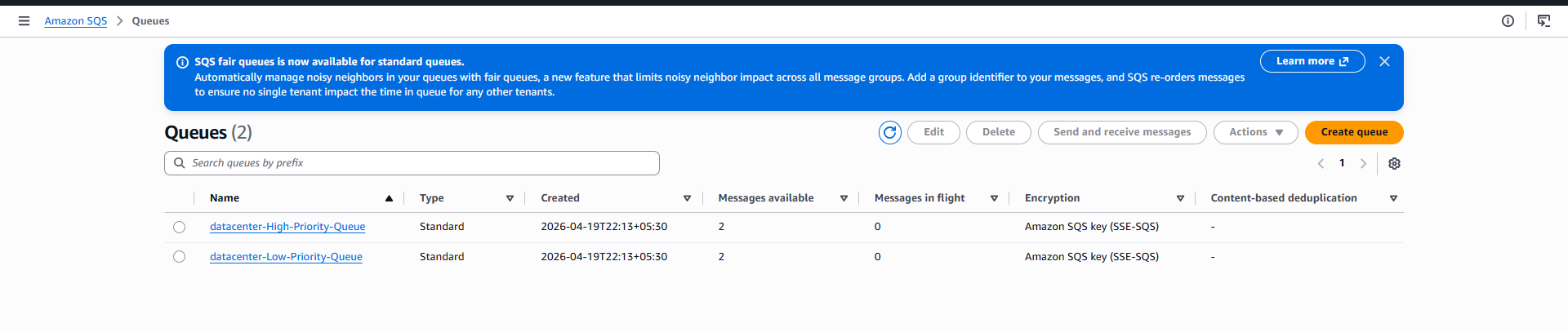
Step 12: Now you can see 2 messages available
Comments
Join the discussionNo comments yet. Be the first to comment.